
 Lana_C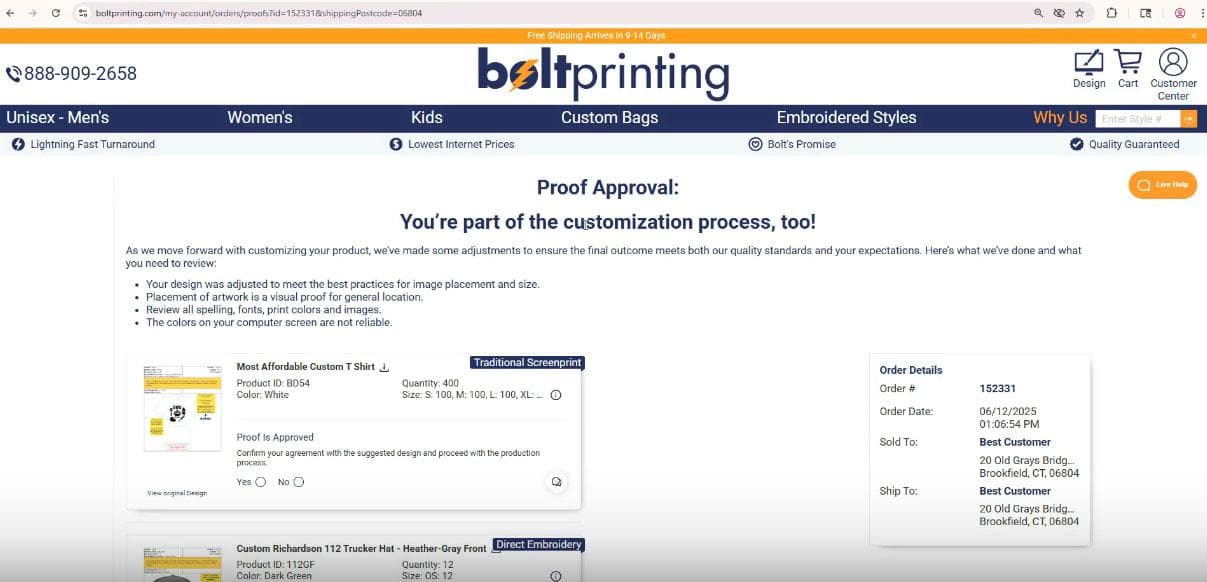
We’ve made it easier than ever to work with your proofs. Our new proof approval page helps you communicate directly with our production team, upload replacement files, and understand how your order will be printed or embroidered—all in one place.
Here’s how it works:
- Respond to messages easily. If you see a note about a poor-quality file, click “Not Approved”. That opens a quick way to upload your new file right on that page.
- Add comments. You can include a short message like, “Here’s my updated file” or “Can you move the logo slightly higher?”
- Look for yellow boxes. They highlight important notes or requests—don’t skip them!
- Check your embellishment method. You’ll see a clickable label next to your proof that explains the print or embroidery method used, along with helpful details about limitations or expectations.
This new proof approval system was developed by our in-house technology team, designed to make communication faster and your proofing experience even more accurate.