

Custom Sleeve Printing: Long Sleeve, Short Sleeve, Hoodie & Sweatshirt Design Tips
A great custom shirt design does not have to stop at the chest or back. Custom sleeve printing gives you another highly visible area for logos, slogans, websites, event names, team branding, and other design elements.
Sleeve designs can work on custom short sleeve t-shirts, long sleeve shirts, hoodies, sweatshirts, workwear, team apparel, and branded merchandise. Long sleeves give you room for vertical artwork and text, while short sleeves work especially well for compact logos, sponsor marks, and secondary branding.
The key is designing specifically for the shape and available space of the sleeve. In this guide, we'll cover sleeve print size, placement, artwork ideas, screen printing, embroidery, short sleeve designs, and how to create sleeve artwork that actually looks good when someone wears it.
![]() |
Quick Navigation
- Why Print on Shirt Sleeves?
- Sleeve Print Size and Placement
- Best Sleeve Design Ideas
- How to Design a Shirt Sleeve
- Who Uses Custom Sleeve Printing?
- Screen Printing on Sleeves
- Can You Embroider a Sleeve?
- Adding a Sleeve Design Online
- Hoodie and Sweatshirt Sleeve Printing
- Short Sleeve T-Shirt Sleeve Designs
- Sleeve Printing FAQs
Why Print on Shirt Sleeves?
The front and back of a shirt get most of the attention, which is exactly why the sleeve can be so effective. It is an additional branding area that many custom apparel designs leave unused.
A printed sleeve can add information without overcrowding the main design. It can also give a basic logo shirt a more finished, intentional look.
Extra Branding Space
Use the sleeve for a secondary logo, website, event name, slogan, or other information without competing with the main artwork.
Long Design Area
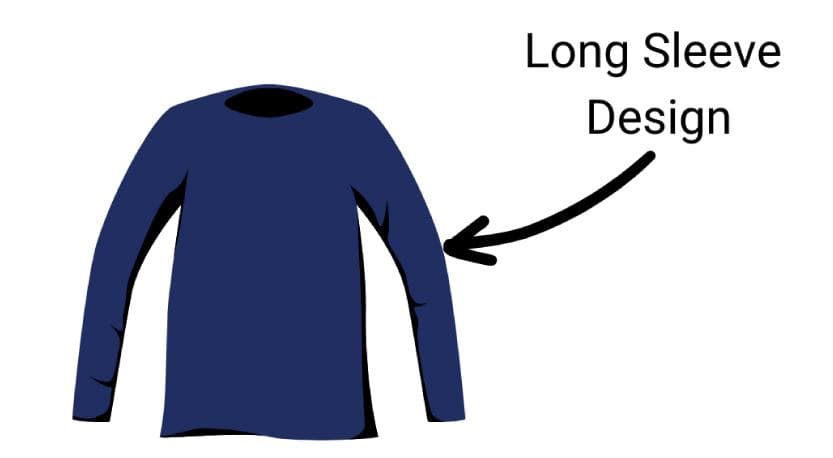
The vertical shape of a long sleeve is especially useful for words, stacked branding, narrow logos, and designs built specifically for the arm.
Movement Gets Attention
Sleeves move naturally as someone walks or works, which can make the design noticeable from angles where a chest print is harder to see.
More Finished Look
Adding sleeve artwork can make team apparel, branded merchandise, and company shirts feel more intentionally designed.
Custom Sleeve Print Size and Placement
Sleeve artwork needs to be designed for a much narrower area than a full front or back print.
At Bolt Printing, the maximum long sleeve print area is approximately 3 inches wide by 13 inches tall.
That long vertical space works well for logos and text, but the artwork may need to be resized depending on its proportions and the garment being printed.
Long Sleeve Print Area: Up to approximately 3" × 13". Very wide artwork will need to be reduced or redesigned to fit the narrow sleeve area.
![]() |
Sleeve placement also needs to work with the construction of the garment. Cuffs, seams, wrinkles, and the taper of the sleeve all affect how much usable printing space is available.
For more placement information, see our complete t-shirt design placement guide.
Best Custom Sleeve Design Ideas
The strongest sleeve designs take advantage of the available shape rather than trying to squeeze a standard front-chest logo into a space it was not designed for.
Some of the best custom sleeve design ideas include:
- Company names running vertically down a long sleeve
- Websites or short URLs
- Event names and event years
- School names or team names
- Short slogans or messages
- Narrow logos designed to follow the arm
- Secondary branding that supports the main shirt design
- Sponsor logos for events and organizations
- Club, department, or chapter names
- Small icons or symbols on short sleeves
![]() |
How to Design a Long Sleeve T-Shirt
A good sleeve design starts by thinking about the entire shirt rather than treating the sleeve as a separate piece of artwork.
If the front already contains a large company logo, for example, the sleeve may work better with a website or short message instead of repeating the exact same design.
Custom Sleeve Design Tips
- Design vertically whenever possible on long sleeves.
- Keep text large enough to read at a glance.
- Avoid extremely thin lettering and tiny details.
- Use strong contrast between the ink and shirt color.
- Keep important artwork away from cuffs and seams.
- Do not overcrowd the full 13-inch long sleeve print area just because it is available.
- Coordinate the sleeve artwork with the front or back design.
- Use fewer, stronger elements instead of filling every inch.
Think About How the Shirt Will Be Worn
Sleeves curve around the arm, so a design will not be viewed on a perfectly flat surface once the shirt is being worn.
Long blocks of tiny copy may technically fit but can become difficult to read. Larger lettering, recognizable logos, and simple graphics usually make more impact.
Think About the Main Design Too
The sleeve should support the rest of the shirt rather than compete with it. A large front graphic paired with another complicated sleeve design can quickly make the shirt feel crowded.
One simple approach is to use your main logo on the front and put supporting information such as a company name, website, location, event title, sponsor, or slogan on the sleeve.
Who Uses Custom Sleeve Printing?
Sleeve printing works for far more than surf and skate brands. Any organization that wants extra branding space can take advantage of it.
Businesses
Add a company name, website, service, department, or secondary branding to employee and promotional apparel.
Schools & Clubs
Use sleeves for school names, graduating years, clubs, marching bands, student organizations, and spirit wear.
Teams
Team names, league information, slogans, and secondary logos fit naturally on custom athletic apparel.
Events & Fundraisers
Sleeves can carry event names, years, sponsors, causes, or short messages while leaving the front available for the primary design.
![]() |
How Screen Printing Works on Sleeves
Screen printing is a strong option for custom sleeve designs because it can produce clean, bold graphics and text across the available sleeve print area.
The basic process is the same as printing the front or back of a shirt. Artwork is prepared, separated by color when needed, screens are created, and ink is pushed through the screen onto the garment.
Sleeves introduce an additional challenge because the print area is narrower and the garment needs to be positioned correctly for printing.
Simple designs often work especially well. Bold lettering, one- or two-color logos, websites, slogans, and compact graphics can create a strong visual result without making the sleeve look cluttered.
Good sleeve design rule: Available space does not need to be completely filled. A simple logo or short phrase can make better use of a sleeve than artwork packed with small details.
Want to understand the production process in more detail? Read our complete guide to custom t-shirt screen printing.
Can You Embroider a Shirt Sleeve?
Yes, but embroidery and screen printing are used differently.
Screen printing can take advantage of a long sleeve for larger vertical artwork. Embroidery is usually better suited to smaller logos and compact designs because the design is constructed from physical thread and the garment needs to be hooped for production.
If you want a small premium logo near the upper sleeve, embroidery may work well. If you want your company name running most of the way down a long sleeve, screen printing is generally the more natural approach.
You can learn more about stitch size, mechanical files, and embroidery limitations in our complete guide to custom embroidery.
How to Add a Design to a Shirt Sleeve
Adding sleeve artwork can be done directly in Bolt Printing's online design studio on eligible products.
You can upload your logo or artwork into the available editable design area, add text using the available fonts, adjust the size, and position the design within the sleeve decoration zone.
Once your order is placed, the artwork is reviewed before production and you will receive a proof showing how the design will be set up.
![]() |
Custom Sleeve Printing on Hoodies and Sweatshirts
Sleeve decoration is not limited to long sleeve t-shirts. Custom hoodies and sweatshirts are also excellent candidates for sleeve artwork.
A hoodie with a small left-chest logo and larger sleeve design can create a completely different look from a traditional full-front print. Sweatshirts can use the same approach for schools, companies, clubs, events, and branded merchandise.
Garment construction still matters. Cuffs, seams, pockets, fabric thickness, and sleeve shape can affect the available printing area and final placement.
![]() |
Short sleeve t-shirt printing gives you another way to add branding without taking over the front or back of the shirt. Because the available decoration space is smaller than it is on a long sleeve, short sleeve designs usually work best when they are simple, compact, and easy to recognize.
A short sleeve is especially useful for a secondary logo, company name, event mark, sponsor logo, school emblem, team logo, initials, small graphic, or short piece of text. It gives you another visible location while keeping the primary shirt design clean.
Company Logos
A small company logo on the sleeve works well for employee uniforms, staff shirts, promotional apparel, trade shows, and branded merchandise.
Events & Sponsors
Use the sleeve for an event year, sponsor mark, fundraiser logo, charity symbol, or secondary event branding.
Teams & Schools
A school emblem, team logo, graduation year, club initials, or department mark can fit naturally on a short sleeve.
Simple Graphics
Small icons, symbols, numbers, and compact graphics are often easier to recognize than detailed artwork in a limited sleeve area.
Keep Short Sleeve Designs Simple
Short sleeves do not provide the same long vertical design area as long sleeve shirts, so the artwork needs to be more compact. Large blocks of text, long websites, and tall vertical designs are generally better suited to long sleeves.
For short sleeves, focus on one clear design element. A recognizable logo, small symbol, or short piece of text will usually make a stronger impression than trying to fit too much information into the available space.
Short Sleeve Design Tip: Think of the sleeve as supporting space. Let the front or back carry the main message, then use the short sleeve for a smaller logo, symbol, sponsor, or secondary piece of branding.
The exact available decoration area can vary by t-shirt style, sleeve construction, and garment size, so the artwork may need to be adjusted to fit the specific product.
Create Custom Shirts with Sleeve Printing
A custom sleeve can turn a standard t-shirt, long sleeve shirt, hoodie, or sweatshirt into something much more distinctive.
The best sleeve designs use the available space for what it does well: clear branding, readable text, simple logos, sponsor marks, and supporting information that complements the rest of the shirt.
At Bolt Printing, your artwork is reviewed before production and you'll receive a proof showing how your sleeve design will be positioned. What you approve is what we print.
Ready to Design Custom Sleeves?
Explore long sleeve shirts and create artwork for your front, back, and sleeve print areas.
Shop Custom Long Sleeve Shirts


