
Frequently asked questions
Everything you need to know about ordering, artwork, shipping, and getting the most out of Bolt Printing.
How Do I Get a Quote for Custom T-Shirts and Embroidery?
Wondering how much custom T-shirts, sweatshirts, hats, or embroidered apparel will cost? Bolt Printing makes it easy to get a free online price quote before placing your order.
Our quoting tool lets you choose your product, garment color, customization options, and quantity to see an estimated price. This guide walks you through getting quotes for both custom printing and embroidery.
Quick Answer
To get a free custom T-shirt or embroidery quote, choose a product on Bolt Printing's website, select your garment color, and scroll to Get a Free Quote. Enter your printing or embroidery options and the quantity you need. Your estimated price will update automatically. You can then save your quote or continue to the Design Studio.
What Determines the Cost of Custom T-Shirts and Embroidery?
Before creating a quote, it helps to understand which factors affect the price of custom apparel.
Custom Screen Printing
Two important factors determine the printing portion of your quote:
- Number of Print Colors: The number of ink colors needed to reproduce your design.
- Number of Print Locations: Whether your artwork is printed on the front, back, sleeve, or multiple locations.
Custom Embroidery
Embroidery pricing is based in part on the number of stitches required to produce your design.
Bolt Printing's base embroidery pricing includes up to 8,000 stitches per design location. Designs requiring more than 8,000 stitches will have an additional cost.
Quantity Discounts
Ordering larger quantities can reduce your cost per item. Bolt Printing's quantity price breaks begin at 12 items.
To qualify together for these quantity price breaks, the items must have the exact same design, in the exact same locations, on the exact same item.
Helpful Tip: If you're ordering custom shirts for a business, school, fundraiser, or event, increasing your quantity may help lower the price per shirt. Try different quantities in the quoting tool to compare your options.
How Do I Get a Quote for Custom Printed T-Shirts?
Follow these steps to generate an estimated price for custom screen printed T-shirts or other printable apparel.
Step 1: Choose the Product You Want to Customize
Start by browsing Bolt Printing's website and selecting the T-shirt, hoodie, sweatshirt, or other product you'd like to customize.
Click on the product to open its individual product page.
Step 2: Select Your Garment Color
Once you're on the product page, choose the garment color you want to order.
You can browse the available color options and select the one that works best for your design, business, team, or event.
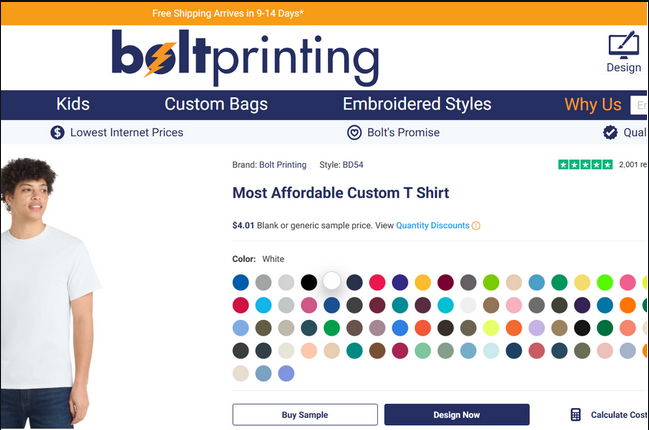
Step 2: View the available colors for your selected product.
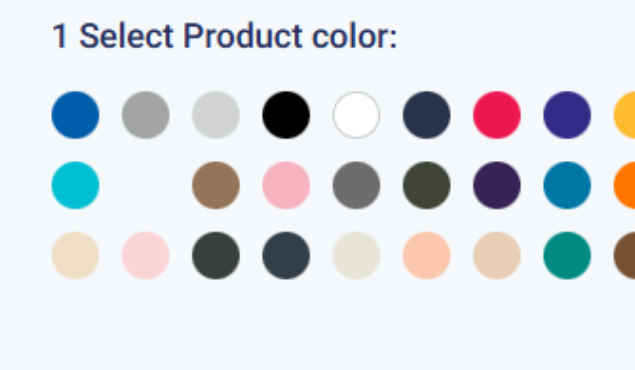
Choose your preferred garment color before continuing.
Step 3: Find the Get a Free Quote Section
Scroll down the product page until you reach the Get a Free Quote section.
This tool allows you to calculate an estimated price based on your selected product and customization requirements.
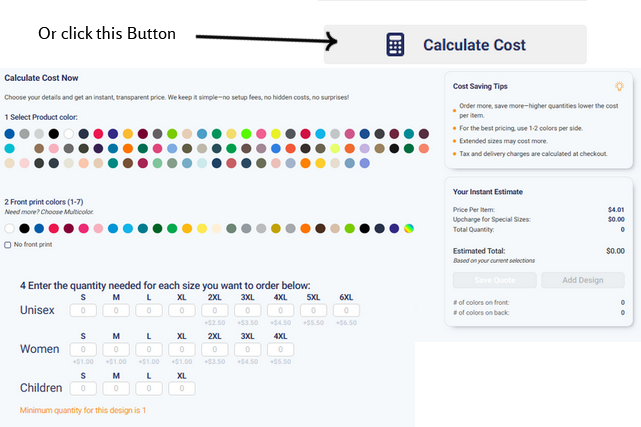
Step 3: Locate the Get a Free Quote tool.
Step 4: Select Your Print Colors and Locations
Choose the ink colors you want printed on your apparel, or the colors used in your existing artwork.
The number of print colors and locations affects your estimated printing cost.
If your design will appear in multiple locations, make sure the quote reflects those locations.
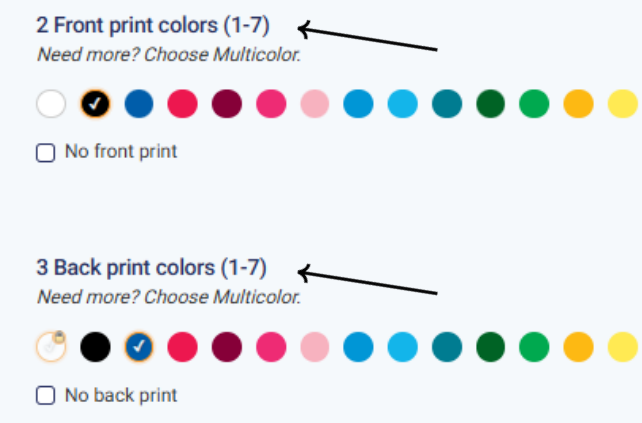
Step 4: Select the colors and print locations for your design.
Helpful Tip: Dark-colored garments often require a white ink underbase to help printed colors appear correctly. When needed, the quote tool will automatically select white to account for this additional printing requirement.
Step 5: Enter Your Order Quantity
Enter the total number of items you want to order.
Once you enter your quantity, the online quoting tool automatically updates your estimated pricing.
Remember that quantity price breaks begin at 12 qualifying items.
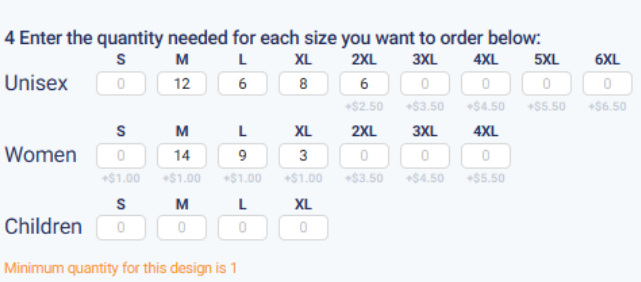
Step 5: Enter the number of shirts or other items you need.
Step 6: Review Your Custom Printing Quote
After entering your options and quantity, you'll see your estimated pricing.
Your quote provides a breakdown of important details, including:
- Price per item: The estimated cost for each customized garment.
- Special sizing: Applicable additional costs for sizes above XL and certain women's options.
- Print colors: The number of selected ink colors.
- Print locations: The locations included in your quote.
- Total quantity: The number of items being quoted.
- Estimated total: The calculated cost based on your selected options.
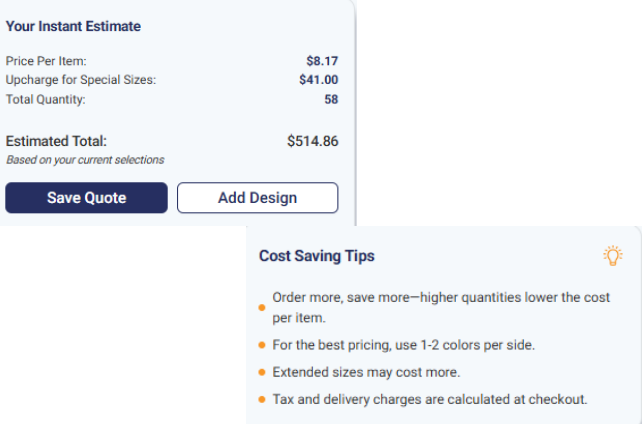
Step 6: Review your estimated custom printing price.
Important: Your quote is an estimate and does not include applicable taxes or potential shipping fees. Final costs may vary depending on your order details.
How Do I Save or Download My Custom T-Shirt Quote?
Not ready to place your order? You can save your quote for later.
Once your estimate is generated, click the Save Quote button.
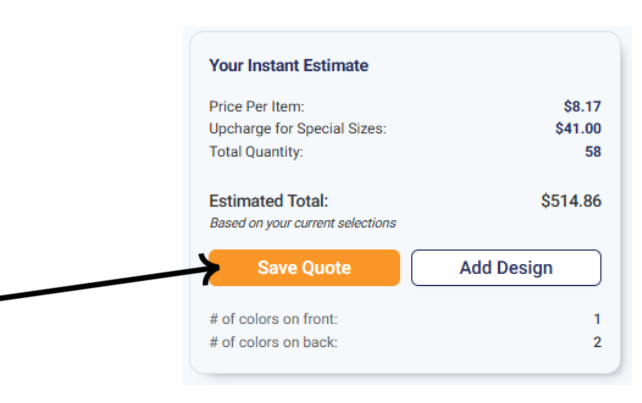
Click Save Quote to keep your estimate for later.
A form will open with instructions for saving and downloading your quote.
- Click Save Quote.
- Fill out the requested contact information.
- Complete the CAPTCHA verification.
- Click Save and Download.
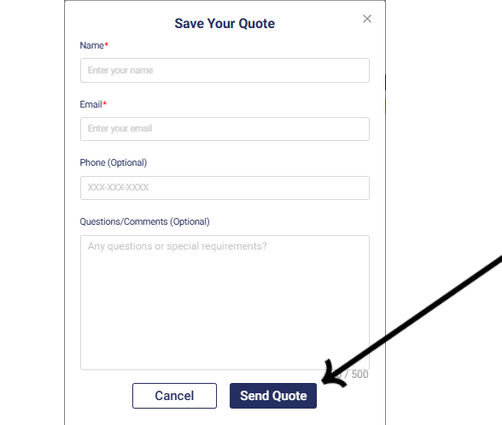
Complete the required information to save and download your quote.
Saving your quote is helpful when comparing quantities, planning an event budget, or sharing an estimate with other decision-makers before ordering.
How Do I Start Designing After Getting My Quote?
Happy with your estimated pricing? You can continue directly to the Design Studio.
Click the Add Your Design button beneath your quote.
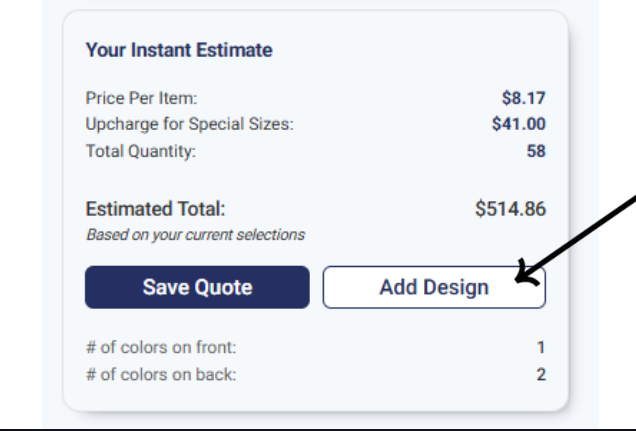
Click Add Your Design to continue to the online Design Studio.
The Design Studio will open with the product you used for your quote.
From there, you can upload your logo, add text, choose clip art, and arrange your artwork within the available design areas.
If you need help creating your design, visit our Creating a Design in the Design Studio guide.
How Do I Get a Quote for Custom Embroidery?
Getting a quote for embroidered hats, polos, jackets, and other apparel follows a similar process to screen printing.
The main difference is that embroidery pricing is based on stitch count rather than the number of ink colors.
Step 1: Choose Your Embroidered Product and Color
Select the hat, polo, jacket, or other product you would like embroidered.
Open its product page and choose your preferred garment color.
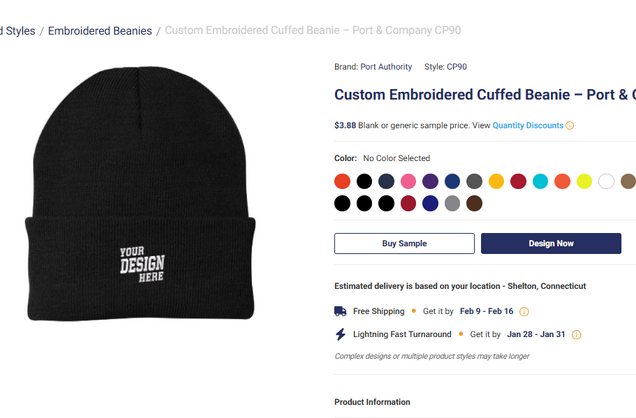
Embroidery Step 1: Select your product and garment color.
Step 2: Select Your Embroidery Thread Colors
Scroll down to the Get a Free Quote section and select the thread colors you would like used in your embroidery design.
The thread colors help describe how your artwork will be embroidered, while the stitch count is an important factor in the embroidery cost.
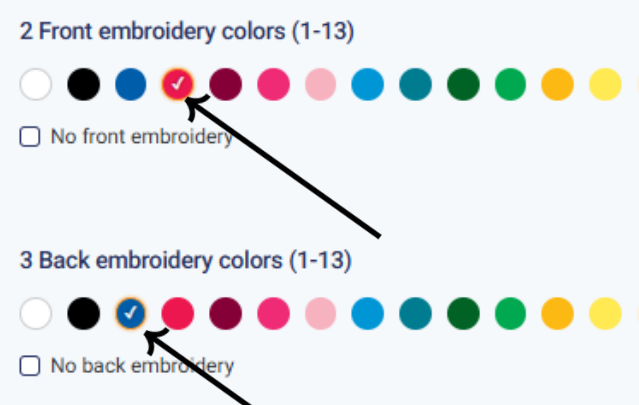
Embroidery Step 2: Choose the thread colors for your embroidered design.
Step 3: Enter Your Embroidery Quantity
Enter the total quantity of embroidered items you need.
The quoting tool will automatically calculate your estimated pricing based on your selected product and order quantity.
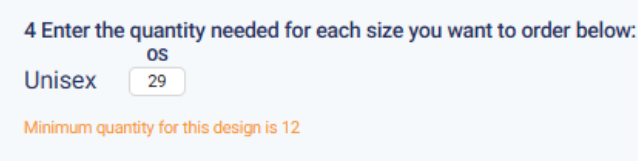
Embroidery Step 3: Enter the number of embroidered items you need.
Step 4: Review Your Embroidery Quote
Once you've entered your choices and quantity, your estimated embroidery price will appear.
The quote is based on the selected garment and includes up to 8,000 embroidery stitches per design location.
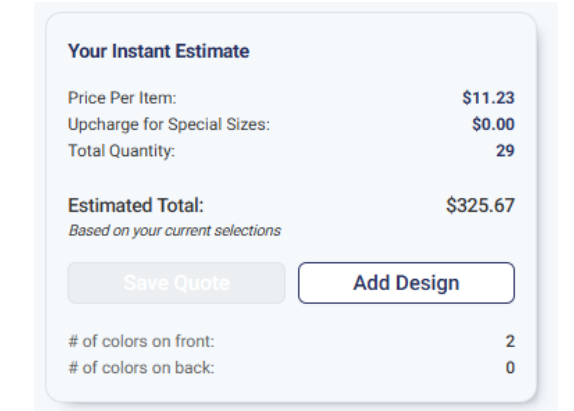
Embroidery Step 4: Review your estimated embroidery price.
Important: Embroidery designs exceeding 8,000 stitches per location will cost more than the base quote. In some cases, the exact stitch count cannot be determined until our production artists create the mechanical embroidery file through digitizing.
If you'd like to understand what determines embroidery stitch count, visit our Understanding Stitch Count guide.
Once your quote is generated, you can save it or continue into the Design Studio to add your embroidery artwork.
Is My Custom Apparel Quote the Final Order Price?
Your online quote gives you an estimated price based on your selected product, customization options, and quantity.
Keep in mind that your estimate does not include applicable taxes or potential shipping costs.
Additional charges may also apply for certain garment sizes or embroidery designs requiring more than 8,000 stitches.
Our online quoting tool is designed to help you compare your options and plan your order before moving forward with your design.
Still Have Questions? We're Here to Help.
Need help getting a custom T-shirt printing quote, understanding quantity discounts, or estimating embroidery costs? Our team is happy to help you find the right options for your order.
Email: hello@boltprinting.com
If you're contacting us about an existing order, please include your order number.
Still have questions?
Our support team responds within a few hours during business days. We're happy to help with quotes, custom jobs, or artwork questions.
Or call 888-909-2658, Mon–Fri 9 am – 6 pm ET.